
Gate Access Control Houston | Keypads, Card Readers & More
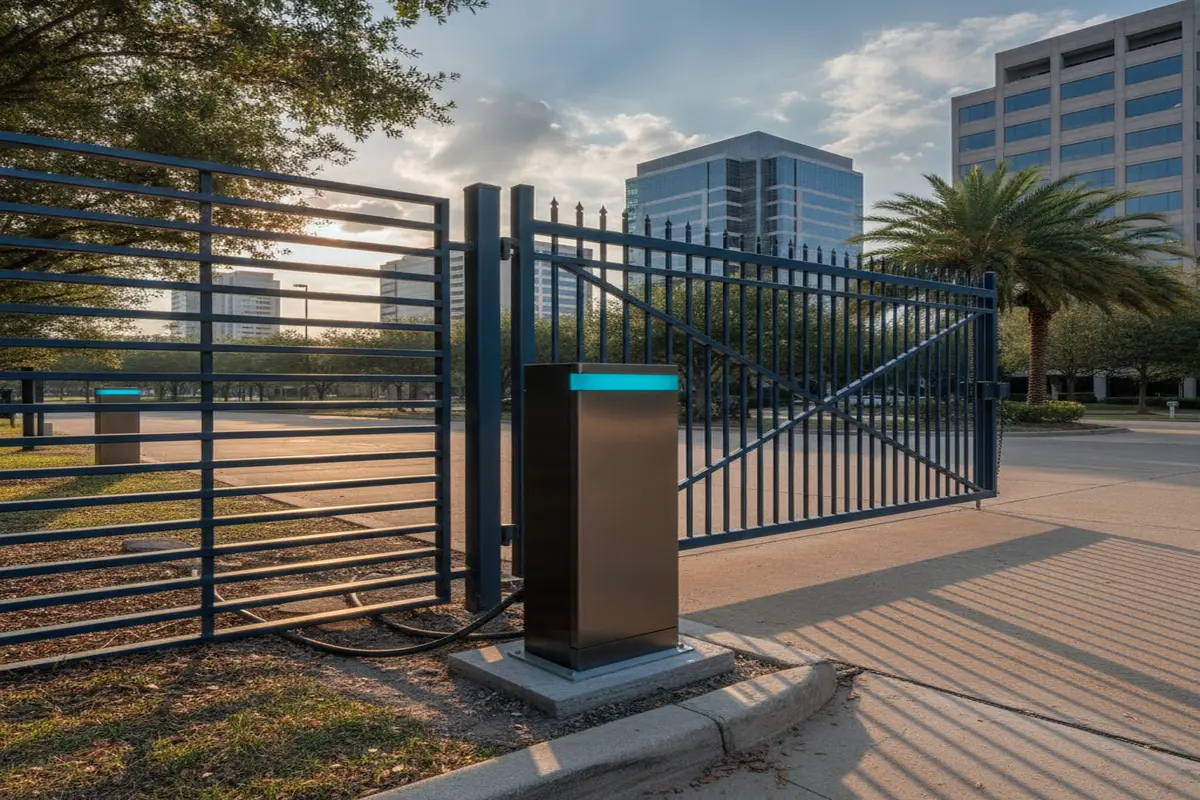

If you’re weighing gate access control in Houston, the first thing to figure out is what kind of traffic your property actually handles. A single-family home in Sugar Land needs something very different from a gated community managing deliveries, guests, and residents all day long. The good news is that most of the confusion disappears once you know what each system actually does.
This guide by Houston Gate Repair walks through the main types of access control, keypads, card and fob readers, telephone entry, and app-based control, so you can match the right hardware to your property instead of guessing.
What Counts as a Gate Access Control System
At its core, an access control system is just a way of deciding who gets through your gate without you standing there to open it by hand. That can be as simple as a four-digit code or as involved as a cloud-managed system tracking every entry across a 200-unit community. The mechanics differ, but the goal is the same: let the right people in, keep everyone else out, and keep a record of who came and went.
Keypad Entry
Keypads are still the most common setup for single-family homes, and for good reason: they’re affordable, they don’t rely on a phone app working correctly, and most residents already know how to use one. You punch in a code, the gate opens. Where homeowners run into trouble is buying a cheap plastic unit that isn’t built for Houston summers; direct sun on a keypad mounted facing south can shorten its lifespan considerably. A weather-rated, metal-housed keypad costs more upfront but holds up far longer here than a budget model will.
Card and Fob Readers
Card and fob readers are the step up from keypads, mainly because they don’t require anyone to remember a code. You tap a card or fob, the reader checks it against an approved list, and the gate opens. This is where most gated communities and apartment complexes land; it’s easy to issue a new resident their own fob and just as easy to deactivate a lost one without resetting a shared code for the entire property.
Telephone and Intercom Entry
Telephone entry systems solve a different problem: visitors who aren’t on your approved list yet. A guest pulls up, presses a button, and it calls your phone or a front desk so you can see and talk to them before letting them in. Video intercoms take this further with a live camera feed, which is especially useful for commercial gate repair sites that need a record of who’s coming through. For property managers handling a lot of delivery and vendor traffic, this is often the piece that actually cuts down on tailgating — unapproved vehicles can’t easily slip in behind a resident when every entry gets a visual check.
Smartphone and App-Based Control
Newer systems let you open the gate from an app instead of a keypad or fob. You can grant a landscaper temporary access for a Tuesday morning without giving them a permanent code, or let a delivery through while you’re still at work. This is usually layered on top of an existing keypad or reader setup rather than replacing it outright, since it’s convenient but you still want a backup method if your phone dies or the signal drops.
Residential vs. Commercial Needs
The access control question looks different depending on the property. A residential gate usually just needs a keypad or a couple of fobs and doesn’t see enough daily traffic to stress the motor. Commercial and HOA properties are a different story; higher cycle counts mean the motor and the access hardware both need to be rated for heavier use, and many commercial sites also need additional safety features like photo-eye sensors that aren’t typically required on a home installation.
Power Options Worth Knowing About
Most access control hardware runs off your existing gate’s power, but it’s worth knowing that battery backup and solar options exist for properties concerned about outages, particularly during hurricane season, when losing gate access along with the power isn’t ideal. We’ll cover battery backup and outage-specific options in more depth in an upcoming post; for now, the short version is that a backup system is worth asking about if reliable access matters to you year-round.
Why Installation Quality Matters More Than the Hardware Itself
A lot of access control problems people run into aren’t actually about the keypad or reader, they’re about how the gate itself was installed. A system is only as reliable as the gate it’s attached to, so a sagging post or a motor that’s already working too hard will cause just as many headaches as cheap hardware would. We work with durable motor brands like LiftMaster and Viking, built to hold up to Houston heat and humidity, so the hardware isn’t the weak link in the system.
If you’re adding access control to a gate that’s already having issues, it’s worth getting the gate itself checked first. We offer same-day setup in most cases, and installations are handled to keep your manufacturer warranty intact.
Frequently Asked Questions
1. What’s the difference between a keypad and a card reader?
A keypad relies on a code anyone with it can use, while a card or fob reader checks a physical item against an approved list. Readers are easier to manage for larger properties since you can deactivate one lost card without changing the code for everyone else.
2. Can I add access control to a gate I already have?
In most cases, yes, access control hardware can usually be added to an existing gate and motor without replacing the whole system, as long as the gate itself is in good working condition first.
3. Do HOA and community gates need different hardware than a single home?
Generally yes. Community gates see far more daily entries, so the motor and access hardware both need a higher cycle rating than what a single-family home would need.